Search is the new way to shop health care.

Surest members have the power to shop for health care like they do everything else—online, via an app—with near-instant access to information. With a simple search in the Surest app, members can see providers, prices, and treatment options, making it easier to compare choices and find care that fits their needs and budget.
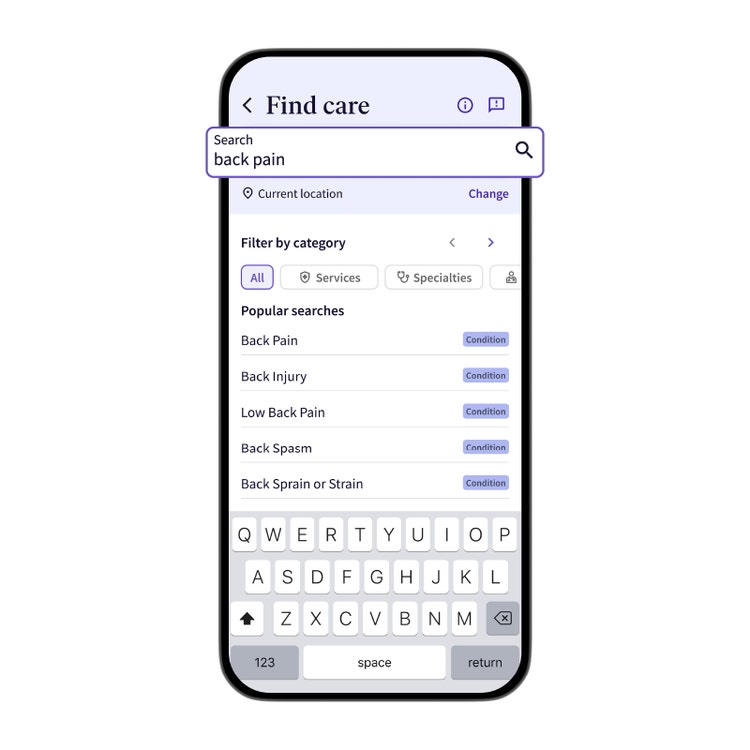
Start shopping – with a search
When you open the Surest app or website, go to the “Find care” search bar. Simply type the reason you need to see a doctor. Use common symptoms like “my head hurts” or “back pain,” conditions, or medical terms to generate a list of options.
Visit type and care options
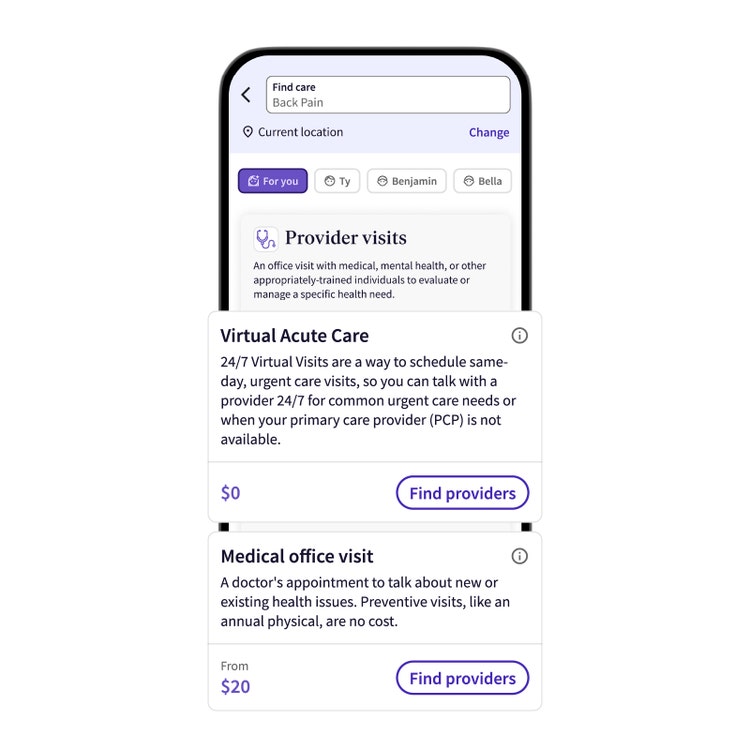
The search results will include visit types for you to consider such as in-person, virtual care, or therapy. Below the results, you may also see colored boxes that feature additional programs available as part of your employer’s health plan, either at low or no additional cost to you. Choose a visit type and select “Find providers” to see prices, providers, and care options.
Upfront copays (prices)
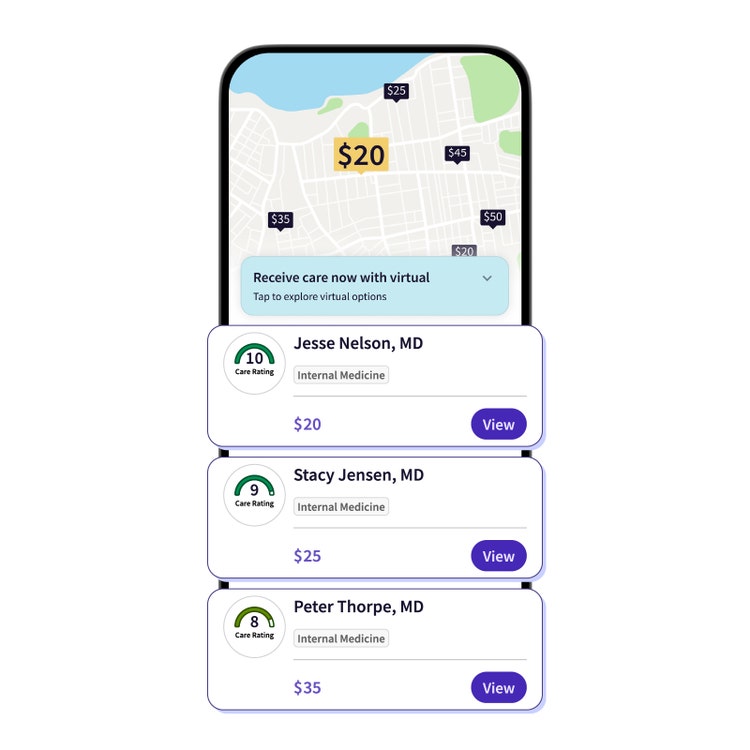
With Surest, you can see a single copay for providers and treatment options ahead of time. To help spot lower copays, look for Surest Care Ratings alongside provider details. We evaluate providers on services they offer based on their historical effectiveness and cost-efficiency performance. Then, we assign higher Care Ratings—and lower copays—for higher provider performance. Care Ratings are a simple way to help you navigate care options that may also save you money based on your choice.
What’s included
Once you find a doctor, clinic, or hospital, select the name and scroll down to see what’s included in the visit. Common services, like labs and X-rays, are grouped together into a single copay so you know what to expect.
Note: The preferred path to get to a single copay amount is to search by symptom/condition > visit type > provider > location.
Find care close to home
To find a provider closest to you, filter options by location/distance. Adjust your location—listed below the search bar—by entering the city, state, or zip code or set a location radius near you. This can be especially helpful when you’re out of town and need to find a doctor. You can also filter provider options by other attributes, including gender or provider ratings, to find a provider that suits you.
If you know the type of doctor or who you want to see, you can see those options quickly with a direct search.
Search by specialty
If you know the type of specialist you want to see, like “ENT,” type it in the search bar. The results will populate the providers who match your need, along with a list of alternative treatment options for you to consider.
Search by doctor
We know some people value relationships with providers and want to continue seeing them. To see if your doctor is in-network, search by their last name. If the doctor doesn’t show up, widen the location radius in the search bar (physicians can be featured by billing zip code). If you’re still having trouble, contact Member Services for confirmation.
Whether searching by condition, specialty, or doctor, you have access to the national UnitedHealthcare network of doctors, clinics, and hospitals—one of the largest in the country.
The Surest search feature lets you shop around for care, at your convenience, so you can make informed decisions about your health. We think it’s about time. Our members think it’s pretty cool.
Surest is an employer-sponsored health plan. If your employer doesn’t offer this plan, reach out to your human resources department.